AR Navigation
Users choose a destination from a dropdown or search option, then follow AR directions through the library.
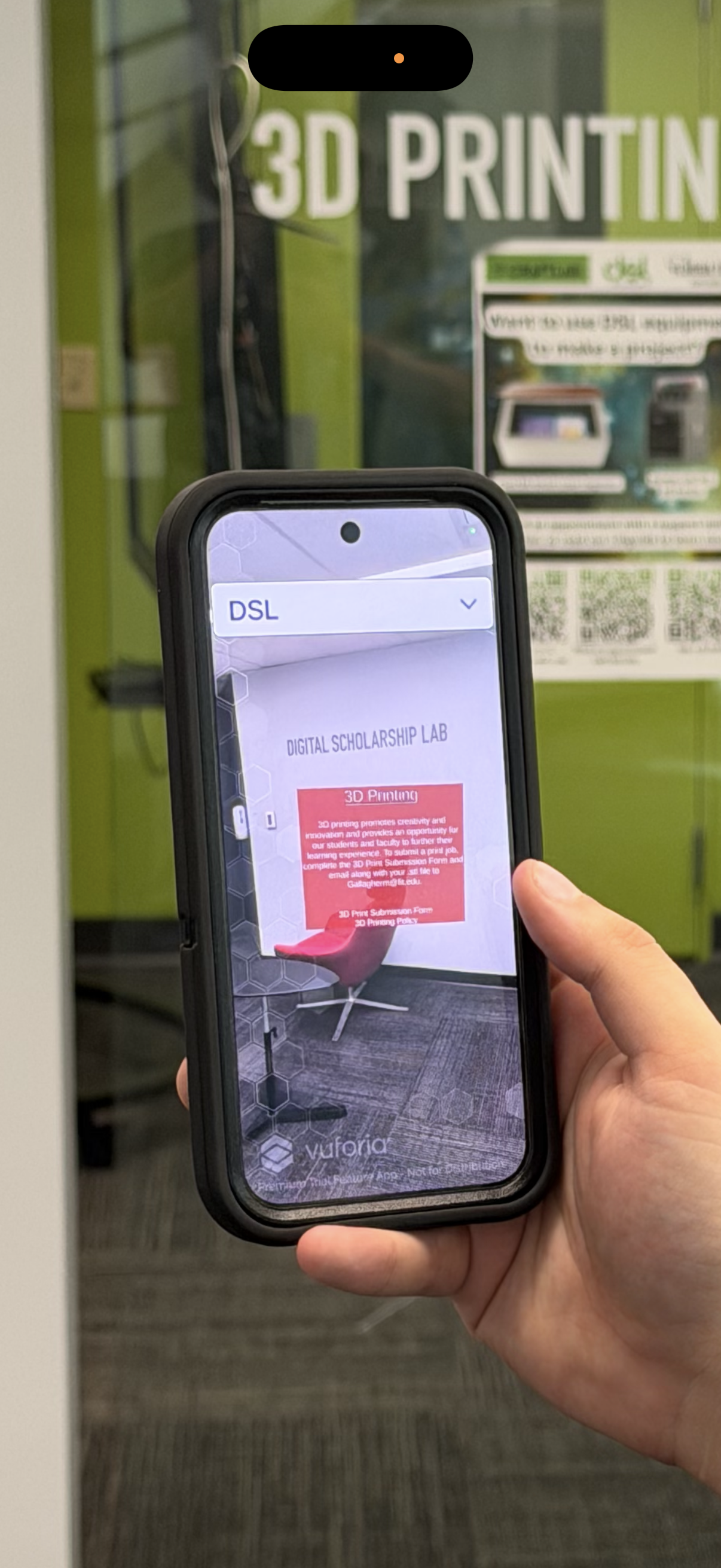
FITARNA helps students and visitors navigate Evans Library using augmented reality directions, interactive pop-ups, and self-guided tour stops.
Core Features
FITARNA combines indoor navigation, AR overlays, and contextual information so users can find destinations and learn about important library spaces as they move.
Users choose a destination from a dropdown or search option, then follow AR directions through the library.
A self-guided tour leads users through important stops in Evans Library, including study areas, services, and resources.
Pop-ups appear near points of interest and can provide information, links, quiz questions, and tour progression.
Inside the App
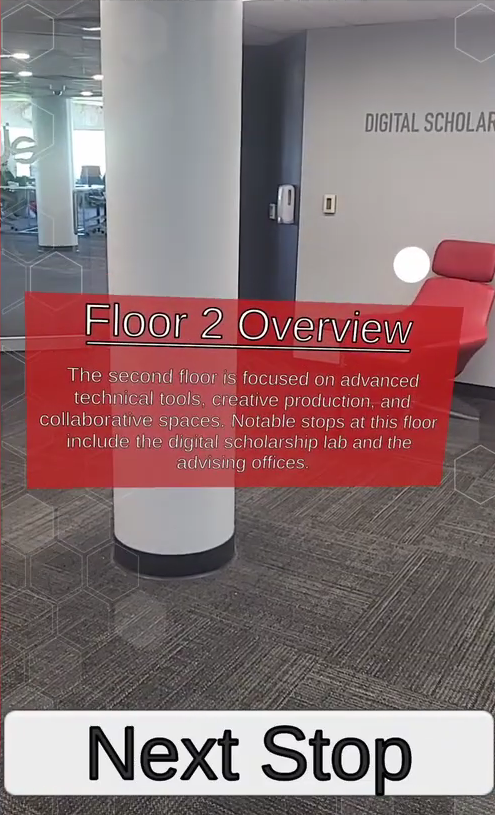
FITARNA displays AR pop-ups over the live camera view, allowing users to move through guided tour stops and learn about library spaces as they walk.
Demo Video
This demo shows FITARNA in action, including navigation, tour mode, and interactive AR pop-ups.
Project Materials
This section includes the course deliverables: Documentation, presentations, and evaluation materials for the senior design project.
| Deliverable | Links |
|---|
| Deliverable | Links |
|---|